EXPERT BLUEPRINT
Digital Signage Security & Reliability Blueprint
Best practices and actionable recommendations from SeenLabs for securing and maintaining reliable digital signage networks.
99.5%
Target Uptime SLA
<30m
P1 Alert Response
TLS 1.3
Encryption Standard
24/7
Health Monitoring
Blueprint Contents
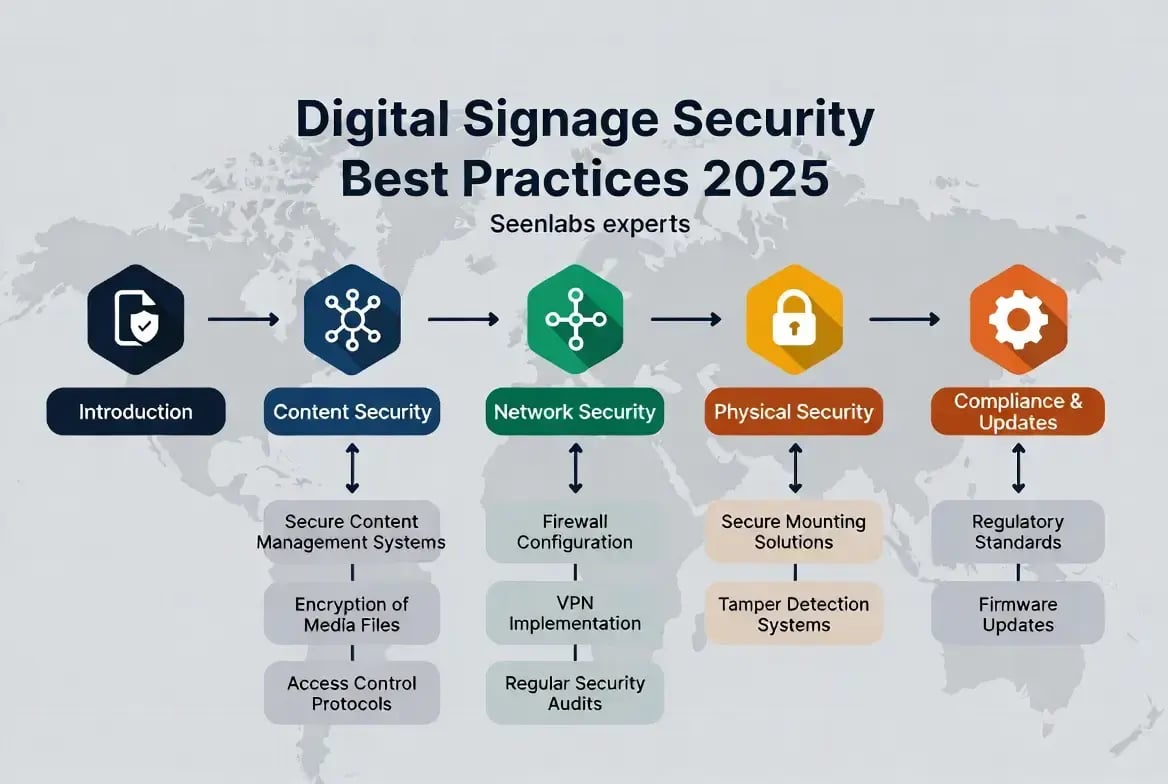
From the SeenLabs Team: This blueprint outlines a layered security and resilience strategy for digital signage fleets. It addresses common threat vectors in public/commercial signage, best-practice controls, reliability targets, and remote monitoring. Our goal is to provide a practical, actionable plan that operators of any size can implement to protect their networks and ensure maximum uptime.
Recommended Key Commitments
We recommend operators establish these baseline targets for security and reliability:
Threat Models & Incidents
Digital signage and kiosks in public venues face many IoT-style attacks. Devices often run headless OSes with weak default credentials, making them a hidden network backdoor. Here are the key threats operators must address:
Malware & Ransomware
Unpatched or consumer-grade media players can be infected. Self-service kiosks have been hit by POS malware stealing credit-card and biometric data. Ransomware can lock up entire display networks.
Content Hijacking
Attackers may replace ads with offensive or fraudulent content. Compromised highway signs have displayed prank messages like "Godzilla Attack – Turn Back" due to default logins. Brand trust at risk.
Data Exfiltration
Signage might capture camera or user data. Stolen content (customer info, analytics, business dashboards) is a growing risk. Unsecured API/SQL endpoints could leak backend data.
Unauthorized Access
Factory passwords, no MFA, or neglected port security let attackers pivot from a compromised display into corporate networks. A 2014 U.S. traffic sign breach exploited hard-coded passwords.
Network Attacks
Lack of segmentation makes signage networks a blind spot. DoS/DDoS floods can knock out content delivery. Botnet malware (e.g., Mirai) has historically co-opted IoT devices for large attacks.
Physical & Insider Tampering
Public displays are physically accessible. Attackers could insert USB malware, swap storage, or install skimmers on payment kiosks. Disgruntled insiders might exploit exposed hardware ports.
Bottom line: Signage is a critical attack surface. Security controls must mirror best practices from IoT/OT/IT domains. The recommendations below address each of these threat vectors.
Security Best Practices
We recommend a defense-in-depth strategy covering devices, network, and management layers. Here are the key controls every signage operator should implement:
Device OS Hardening
- Disable all unused services/ports (SSH, Telnet, USB)
- Remove factory default passwords – enforce unique credentials
- Apply host-based firewalls/whitelist-only networking
- Use Secure Boot + TPM/device attestation
Firmware & Software Updates
- Establish monthly patch cycle for OS/firmware/apps
- Automate OTA updates – all images cryptographically signed
- Deliver updates over TLS only
- Maintain Firmware Bill of Materials (FBOM) per device
Network Segmentation
- Isolate signage on dedicated VLANs/VRFs
- Never place on flat LAN with corporate resources
- Use microsegmentation – signage talks only to CMS/CDN
- Enforce Zero Trust rules; use VPN for multi-site
Strong Encryption
- All CMS traffic: TLS 1.3 (min 1.2) with AES-256, SHA-2
- Require mutual TLS or device certificates
- Disable HTTP, FTP, Telnet completely
- Encrypt logs/sensitive files at rest (BitLocker, dm-crypt)
Identity & Access Management
- Change default credentials on every device
- Require MFA for all admin interfaces
- Implement RBAC – minimal privileges only
- Use X.509 certificates or HSM-backed keys for device identity
Endpoint Protection
- Run lightweight EDR/host intrusion prevention
- Use file integrity monitoring
- Configure kiosk modes + app whitelisting (AppLocker)
- Disable developer/debug modes; remove unused binaries
Logging & Audit Trails
- Log all security events (logins, config changes, updates)
- Centralize logs to secure SIEM over encrypted channels
- Encrypt logs at rest; append-only to detect tampering
- Retain logs 1+ year for compliance
Content & Operational Security
- Treat CMS pipeline as critical infrastructure
- Sign/hash all content in transit to detect tampering
- Use secure CDN or VPN tunnels for content pushes
- Vet third-party apps; conduct periodic pen tests
Reliability & Availability Standards
High availability is critical for digital signage. We recommend explicit SLO/SLA targets and incident protocols:
Uptime SLA
≥99.5%
- ≤44 min downtime per month allowed
- 95-98% yields days of downtime per year (unacceptable)
- Offer tiers (99.5% vs 99.9%) with pricing
- Specify service credits if SLA missed
MTTR & Response
P1 (System Down): Alert <30 min, restore <4 hrs
P2 (Partial Outage): ~2 hr response
P3 (Minor/Maint): ~24 hr target
P4 (Informational): Standard queue
Provide 24×7 on-call support during SLA hours. Use monitoring alerts for immediate detection.
Monitoring & Health Checks
- Continuous heartbeat/ping monitoring per device
- Track CPU, memory, storage, temperature
- Cloud CMS tracks online/offline + last check-in
- Alert for offline players or low-resource conditions
- Use SNMP/Icinga/Syslog agents for distributed monitoring
Redundancy & Maintenance
- Keep spare devices on hand for quick swap-out
- Use redundant network paths (dual NICs, Wi-Fi fallback)
- Schedule maintenance during low-traffic hours
- Use rolling updates – never reboot entire fleet at once
- Perform root-cause analysis after major incidents
Remote Monitoring & Fleet Management
Managing hundreds of remote signage units requires automation. Here are the capabilities every operator should have:
Centralized Management
Use a unified platform (MDM/UEM or CMS) to push config, firmware, and policy changes. Group devices by location/type for bulk updates. Log every change for audit.
Health Telemetry
Each device reports CPU, memory, storage, temperature, network signal. System generates alerts on anomalies before full failure. Use SNMP or agent-based monitors (Zabbix, Prometheus).
Config Drift Detection
Maintain "desired config baseline" per device. Periodically audit for drift (extra software, changed settings). Auto-alert or push correct baseline when deviation detected.
Remote Actions
Enable remote reboot and lock-down capabilities. If device is compromised, CMS should be able to cut network or wipe it. Clear caches or reset to factory image remotely.
Automated Alerts
Integrate with 24×7 ops dashboard or pager. Device offline or content update fails → auto SMS/Slack/Email alert. Feed SNMP traps/syslog to SIEM/XDR for correlation.
Stateless Cross-Check
Don't rely solely on device reports. Measure availability from cloud side (log successful content push/health ping). Cross-check ensures honest reporting.
Compliance & Privacy Considerations
Data Privacy
No personal data on public screens. Anonymize analytics. Disclose tracking per GDPR/CCPA. Use E2E encryption for user interaction kiosks. Store personal data off-device in protected databases.
Audit Trails
Maintain audit logs for content and config changes. Supports compliance and incident investigation. Ensure logs cannot be altered retroactively.
Content & Accessibility
Verify content licensing for public use. Follow local advertising regulations. Comply with ADA/WCAG (legible fonts, alt-text on touchscreens).
Security Standards
Align with industry frameworks where required: PCI DSS for payment kiosks, HIPAA for healthcare signage, NIST IoT/Device guidelines. Dispose of old devices securely.
Frequently Asked Questions
Need Help Securing Your Signage Network?
SeenLabs offers managed digital signage solutions with enterprise-grade security, 99.5%+ uptime SLAs, and 24/7 monitoring included.
Book a Consultation View Solutions