The calendar widget update released on May 13, 2024 shows live calendar events on digital displays, with a simpler setup and light and dark templates.
Simpler configuration
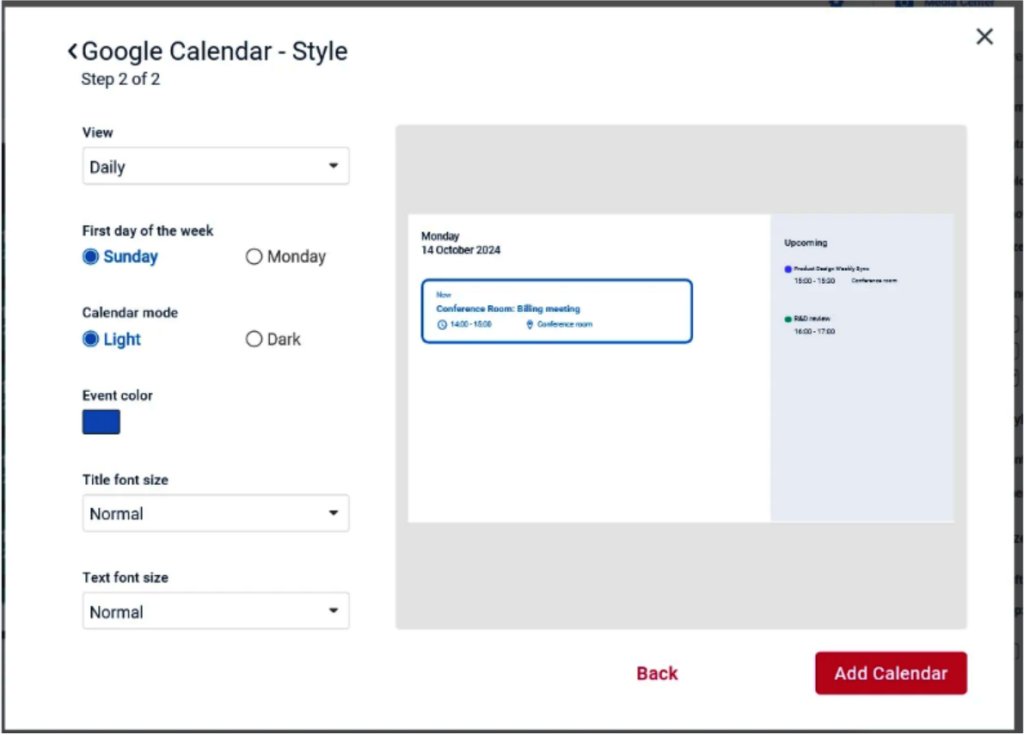
The initial setup of the widget has been greatly simplified, allowing users to easily select their preferred calendar service and adjust the styling to meet their specific needs. Setup now takes fewer steps.
Live calendar data
One of the major upgrades includes the widget’s capability to show actual calendar data instead of placeholder demo data. Screens show live meetings and events instead of sample entries.
Interface
The updated widget has a redesigned interface for sharing meeting room availability. It supports multiple calendars at once and can show them on large screens in lobbies and break rooms.
Supported calendar services
The widget supports a variety of calendar services, including Google and Outlook, as well as integration options through API and CSV links. Existing calendars keep working without changes.
Templates and customization
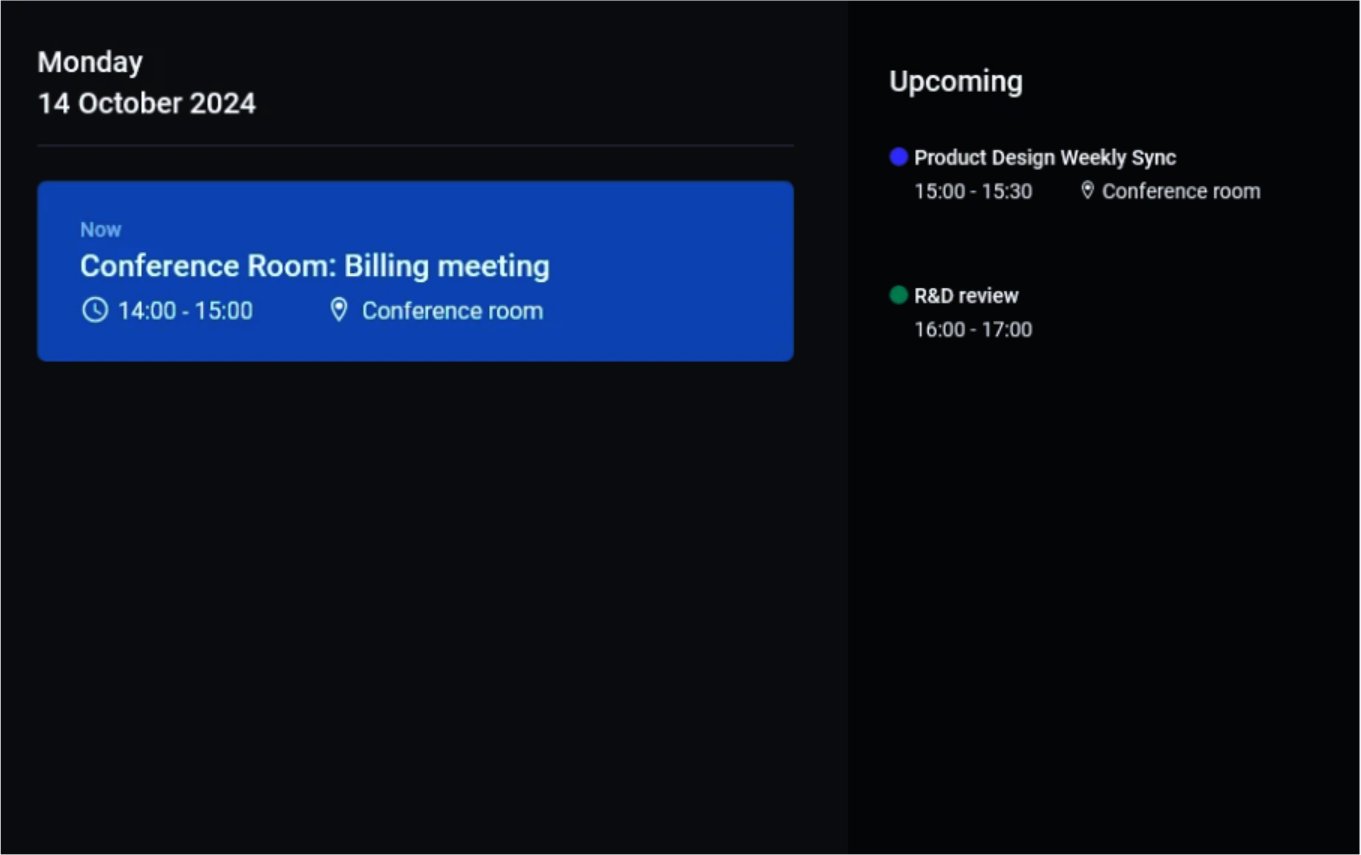
New templates come in light and dark modes. You can choose the calendar view, event colors and fonts.
Side control panel
All settings for the widget can now be managed from a side control panel, which keeps adjustments and account settings in one place.
Set up the calendar widget
Frequently Asked Questions
What are the key improvements in the new calendar widget update?
The widget update released on May 13, 2024 simplifies setup. You select your calendar service (Google, Outlook and others) and style the widget. It displays real calendar data (meetings and events) instead of placeholder content, so the screen matches your live schedule.
How does the updated widget help with scheduling and coordination?
The interface makes it easy to share meeting room availability or event info. The widget supports multiple calendars at once, so different teams or rooms can be overlaid on one communal screen. Offices can show current bookings in lobbies or break rooms without anyone opening a separate calendar.
What calendar services and integrations does the widget support?
Google Calendar and Microsoft Outlook are integrated, and you can also connect through an API or a CSV link. Your existing corporate calendars keep working without a change to workflow.
Can the calendar display be customized to match our brand?
Yes. The new widget includes templates with light and dark modes. You can set the view, event colors and fonts to match your brand.
When was the new calendar widget released?
The updated widget was rolled out on May 13, 2024 and is available in your account.
